Sharper workdays. Smoother games. 10 distinct picks across IPS, VA and OLED—with independent review findings and real Amazon price history to help you decide.
As an Amazon Associate, DEALAGRAM earns from qualifying purchases. These are our picks for different needs within a researched shortlist, not hands-on DEALAGRAM tests or a ranking of every monitor on the market. *Historical lows exclude shipping. Our approach →
Still deciding? Watch the whole category.
Follow computer-monitor deals across brands, or narrow your notification by panel, resolution, refresh rate and budget.
Refresh filters use the maximum at native resolution, including labeled overclocks. A dual-mode monitor's lower-resolution mode is shown separately. Price filters use the checked new offer plus listed shipping.
A strong monitor is not always a strong deal. Check its history before paying today's price.
No picks in this shortlist match all your filters.
Amazon US · Prices and new-offer availability checked via Keepa. Latest successful check among these products: . Each product shows its own timestamp. New-offer snapshots exclude preorders and backorders. Checks run about daily; overdue checks and unavailable offers are labeled. Confirm the seller, shipping and final price on Amazon.
PLAYSTATION + XBOX
Console gaming. Three sensible budgets.
Start with value. Upgrade for resolution and HDR.
For Xbox Series X and PS5 Pro, start with smooth 120Hz gaming and variable refresh rate. Our budget pick uses 1440p to keep the cost down. The mid-tier pick steps up to 4K120, and the high-end OLED adds stronger contrast and HDR. A compatible game and its performance mode are still needed; consoles do not use a monitor's 180Hz, 240Hz or 480Hz PC modes.
Budget: 1440p120 + VRR. Mid-tier / high-end: 4K120 + VRR. None is an 8K monitor.
The capabilities are not identical: PS5 Pro also offers 8K at 60Hz with a compatible DSC display, with VRR disabled in that mode. The mid-tier and high-end picks focus on 4K120; the budget pick deliberately trades resolution for value. Actual frame rate and rendered resolution depend on the game and selected mode; 4K output does not mean every game renders native 4K at 120fps. For 4K120, use a suitable HDMI 2.1 input and an Ultra High Speed HDMI cable. The budget XG27ACS supports 1440p120 with VRR through its HDMI 2.0 input. Its PS5 VRR does not work at downscaled 4K60, and Xbox HDR requires 4K input, so 1440p120 SDR is its best-value console use.
Real observations. A target you can make your own.
Amazon price history
Lowest tracked new offer · USD · before shipping
Latest tracked new price—
180-day low—
Time-weighted average—
Recorded new priceSuggested watch target
↘
View the underlying observations
Observation / interval boundary
New price
These are real Keepa NEW-series observations for the exact Amazon ASIN, with gaps left where no price is recorded. The average is weighted by time with a recorded price. History excludes shipping, tax, coupons and used offers; it may differ from the currently shippable offer shown on the cards. The suggested target starts at the 180-day low and can be changed. Open this listing on Keepa ↗
THE REVIEW ROUNDUP
Why each monitor earns its place.
The strengths, the compromises and the price worth watching.
01 / Best budget everyday monitor
Checked new offer + shipping$99.99Listed shipping: $0.00 · before tax / coupons
New, shippable offer checked Checked Fulfilled by Amazon
Best budget everyday monitor
BenQ GW2490 review
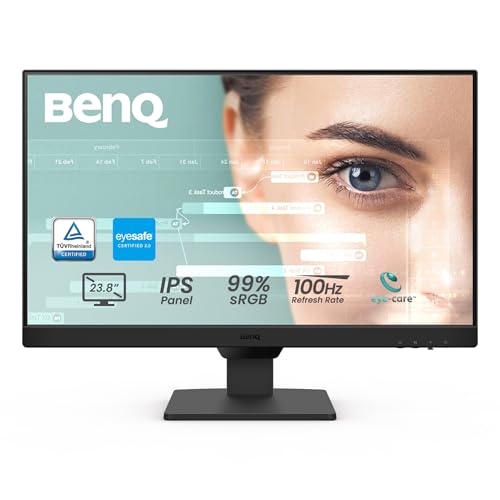
A sensible starting point for documents, browsing and a compact second screen. Its 100Hz refresh rate makes everyday movement smoother than a basic 60Hz display, without paying for gaming extras.
Panel / backlight
IPS / LED
Resolution / shape
1920 × 1080 · Flat · 16:9
Maximum refresh
100Hz
USB-C / power
No USB-C
100HzEveryday Full HD smoothness
What independent testing found
IT Pro found its image quality and straightforward controls impressive for the price. Expert Reviews also measured respectable color accuracy and liked the smoother 100Hz operation. The savings come from a basic stand, limited connectivity and modest speakers. Step up to 1440p or 4K when sharper text and more workspace matter most.
Before you connect: 100Hz at Full HD. No USB-C input, laptop power delivery or USB hub. The stand tilts but does not adjust in height.
THE PRICE PERSPECTIVE
The latest tracked new price is $10.00 above its $89.99 180-day low. A $89.99 target starts at that historical low before shipping; your notification target compares the offer including listed shipping. Past prices do not guarantee a future offer.
Exact model and important details
This is the GW2490, not GW2490C or GW2490T. BenQ lists two HDMI 1.4 inputs and one DisplayPort 1.2 input on the US model; some reviews have different port counts or versions. We use the current manufacturer specification.
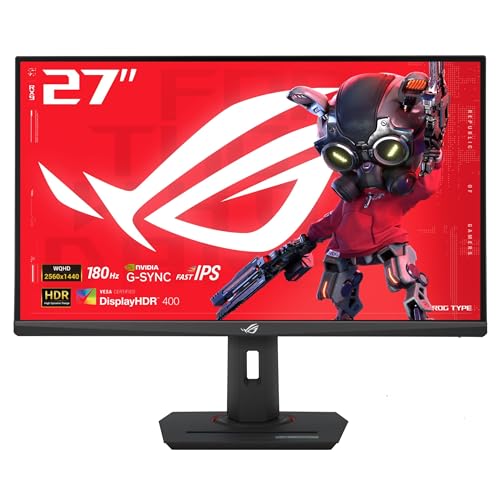
Our value choice for a gaming PC or console: a sharp 27-inch 1440p screen with responsive motion, without paying for 4K or OLED. For PS5 and Xbox Series X, its useful target is 1440p at 120Hz with VRR. Choose it primarily for SDR gaming.
Panel / backlight
Fast IPS / LED
Resolution / shape
2560 × 1440 · Flat · 16:9
Maximum refresh
180Hz
USB-C / power
Video · 7.5W only
1440p180Hz through DP / USB-C
What independent testing found
TechSpot praised the response-time tuning and accurate sRGB mode. RTINGS also found sharp motion and low input lag, though it observed some inverse ghosting at lower refresh rates. Both make the same limitation clear: accepting HDR does not fix low IPS contrast or the absence of local dimming.
HDR has little impact; blacks look gray in a dark room
7.5W USB-C is not a laptop charging solution
Before you connect: PC: 180Hz over DisplayPort or USB-C; up to 144Hz over HDMI. Consoles: 1440p at 120Hz with VRR. No 4K120. USB-C supplies just 7.5W.
THE PRICE PERSPECTIVE
The latest tracked new price is $40.00 above its $189.00 180-day low. A $189.00 target starts at that historical low before shipping; your notification target compares the offer including listed shipping. Past prices do not guarantee a future offer.
Exact model and important details
Exact model: XG27ACS, with one HDMI input. RTINGS confirms PS5 VRR at 1440p120, but not with a downscaled 4K60 input. Xbox HDR needs a 4K signal, so use 1440p120 SDR for smooth gaming or downscaled 4K60 for HDR input; the panel lacks convincing HDR contrast. Its 180Hz specification is for a PC, not a console.
New, shippable offer checked Checked Sold by Amazon
Best affordable HDR
AOC Q27G3XMN review
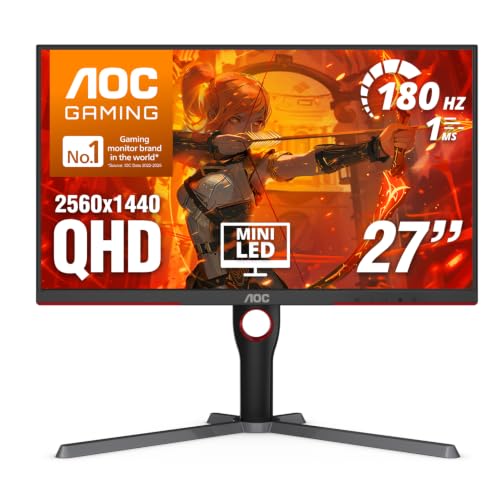
Put picture quality ahead of extras. The VA panel and 336-zone Mini-LED backlight give this monitor hardware that ordinary budget HDR-labeled screens lack.
Panel / backlight
VA / Mini-LED
Resolution / shape
2560 × 1440 · Flat · 16:9
Maximum refresh
180Hz OC
USB-C / power
No USB-C
336Local dimming zones
What independent testing found
TFTCentral found strong HDR brightness, accurate HDR color and well-controlled blooming. RTINGS likewise liked the local dimming, but recorded some dark-transition smearing and distracting VRR flicker with changing frame rates. We see it as an immersive-game pick rather than the first choice for strict competitive play.
Before you connect: 165Hz native; up to 180Hz using its overclock mode. The 180Hz maximum requires DisplayPort; HDMI is limited to 144Hz at 1440p.
THE PRICE PERSPECTIVE
The latest tracked new price is $46.80 above its $229.95 180-day low. A $229.95 target starts at that historical low before shipping; your notification target compares the offer including listed shipping. Past prices do not guarantee a future offer.
Exact model and important details
Mini-LED describes the backlight; this remains a VA LCD panel. Q27G40XMN is a different model. This guide uses the Q27G3XMN's exact listing and specifications, including its 165Hz native / 180Hz maximum distinction.
New, shippable offer checked Checked Sold by Amazon
Best 4K for laptop work
Dell S2725QC review
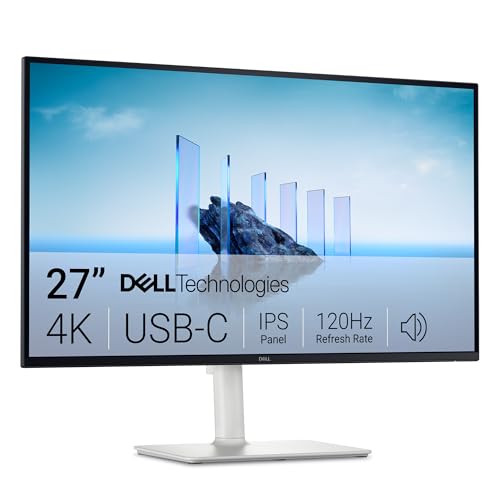
The straightforward work-first choice. A 27-inch 4K image gives text and spreadsheets useful definition, while USB-C can carry the picture, peripherals and up to 65W of laptop power.
Panel / backlight
IPS / LED
Resolution / shape
3840 × 2160 · Flat · 16:9
Maximum refresh
120Hz
USB-C / power
Video + 65W charging
65WUSB-C laptop power delivery
What independent testing found
RTINGS found it impressive for productivity, with sharp text and useful connectivity. Its gaming tests show why refresh rate is only part of the story: fast motion remained blurry despite the 120Hz specification. We would choose it for work and occasional play, rather than fast action or impactful HDR.
Before you connect: 4K at up to 120Hz. Use the upstream USB-C port for video and 65W laptop charging; the separate 15W downstream USB-C port is not a video input.
THE PRICE PERSPECTIVE
The latest tracked new price is $98.27 above its $251.72 180-day low. A $251.72 target starts at that historical low before shipping; your notification target compares the offer including listed shipping. Past prices do not guarantee a future offer.
Exact model and important details
65W suits many everyday laptops but may not cover a demanding workstation under load. Check your laptop's charging requirement. S2725QS lacks this model's USB-C feature set; S3225QC uses a different panel technology.
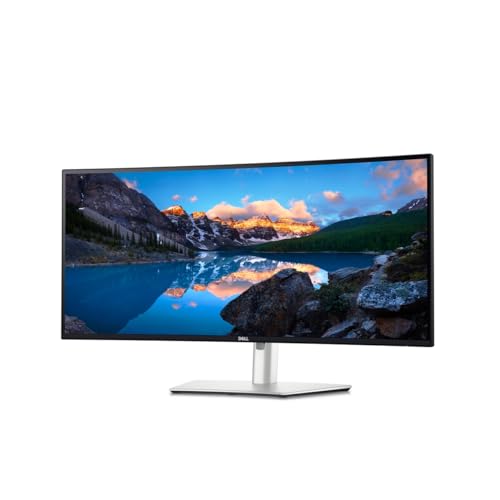
Choose this for a laptop-centered desk with plenty of peripherals. The 34-inch ultrawide layout is useful for multiple windows, while Thunderbolt, Ethernet and a KVM can simplify the rest of the setup.
Panel / backlight
IPS Black / LED
Resolution / shape
3440 × 1440 · 1900R curve · 21:9
Maximum refresh
120Hz
USB-C / power
Thunderbolt 4 · 90W
90WThunderbolt laptop charging
What independent testing found
Windows Central praised its multitasking features and easy switching between computers. RTINGS also highlighted the extensive connectivity and useful office image quality, but found blurry fast motion. We would pay for the dock and workspace here: 120Hz scrolling is welcome, yet slow pixel response and absent HDR make this a work-first screen.
Thunderbolt with 90W charging, Ethernet and USB hub
Ultrawide workspace, KVM and display daisy chaining
−Trade-offs to know
Fast games look blurry despite 120Hz
No HDR; lower text density than a 27-inch 4K screen
Before you connect: 120Hz over DisplayPort or Thunderbolt; HDMI is limited to 100Hz. Upstream Thunderbolt supports USB-C DisplayPort Alt Mode and up to 90W power delivery.
THE PRICE PERSPECTIVE
The latest tracked new price is $80.00 above its $679.00 180-day low. A $679.00 target starts at that historical low before shipping; your notification target compares the offer including listed shipping. Past prices do not guarantee a future offer.
Exact model and important details
The exact resolution is 3440 × 1440, even if a marketplace title calls it 5K. IPS Black is still an IPS LCD. USB-C and Thunderbolt features depend on the source laptop; check its display-output and daisy-chain capabilities.
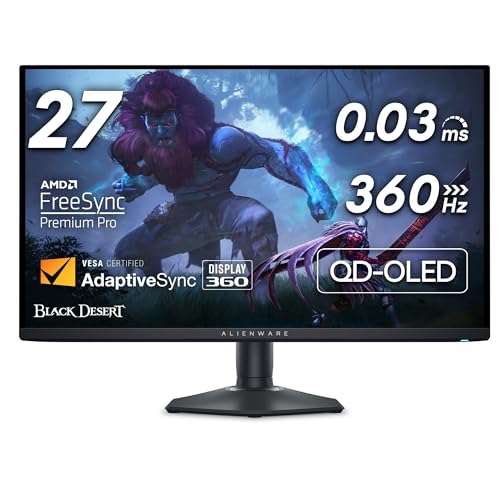
A focused choice for a fast PC and a 27-inch desk setup. The 360Hz refresh rate and OLED pixel response matter most when your games can sustain high frame rates.
Panel / backlight
QD-OLED / Self-emissive
Resolution / shape
2560 × 1440 · Flat · 16:9
Maximum refresh
360Hz
USB-C / power
Data / charging only
360HzAt 1440p through DisplayPort
What independent testing found
RTINGS found exceptionally crisp motion and low input lag. TFTCentral saw a clarity improvement over earlier 240Hz OLED panels and liked its HDR presentation. Those strengths do not erase the practical limits: HDMI cannot deliver the full refresh rate, and a USB-C laptop cannot feed it video directly.
Before you connect: 360Hz at 1440p over DisplayPort; only 144Hz at 1440p over HDMI. USB-C is downstream data/charging only and cannot carry a video signal into the monitor.
THE PRICE PERSPECTIVE
The latest tracked new price is $104.00 above its $469.99 180-day low. A $469.99 target starts at that historical low before shipping; your notification target compares the offer including listed shipping. Past prices do not guarantee a future offer.
Exact model and important details
The final F matters: AW2725DF is the 360Hz model; AW2725D is a different 280Hz monitor. Its HDMI port lacks the bandwidth to match DisplayPort, regardless of the HDMI version name used in marketing. Bright ambient light can also raise QD-OLED black levels.
New, shippable offer checked Checked Seller fulfilled · Find this offer under Other sellers.
Best premium 4K gaming
MSI MPG 322URX QD-OLED review
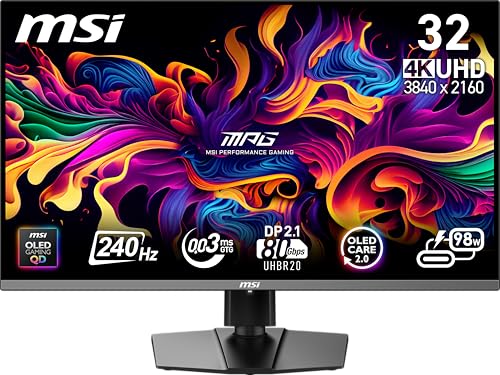
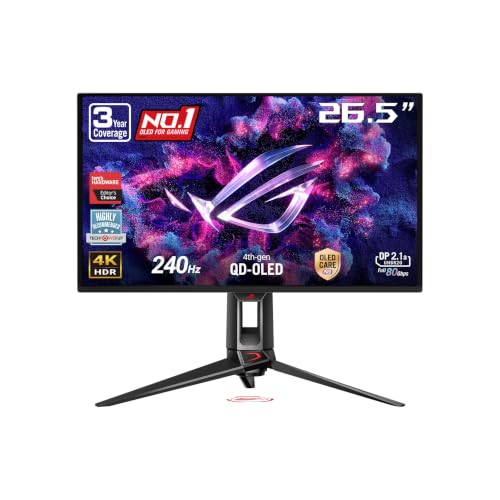
The premium all-round gaming pick in this shortlist. It combines a 32-inch-class 4K image with 240Hz motion, a KVM switch and a USB-C connection that can also serve a laptop.
Panel / backlight
QD-OLED / Self-emissive
Resolution / shape
3840 × 2160 · Flat · 16:9
Maximum refresh
240Hz
USB-C / power
Video + 98W charging
4K / 240UHD resolution at 240Hz
What independent testing found
RTINGS found responsive motion, vivid color and deep blacks in dark conditions. PC Gamer liked the picture but questioned the price because the visual improvement over the older 321URX was small. That disagreement is useful: choose this for its connections and 4K OLED combination, and let the price history decide the timing.
OLED burn-in risk and modest full-screen brightness
Before you connect: 4K at 240Hz. DisplayPort 2.1a UHBR20 requires a compatible source and cable to use its full bandwidth. USB-C supports video and up to 98W power delivery.
THE PRICE PERSPECTIVE
The latest tracked new price is $180.64 above its $778.36 180-day low. A $778.36 target starts at that historical low before shipping; your notification target compares the offer including listed shipping. Past prices do not guarantee a future offer.
Exact model and important details
The MPG 322URX is distinct from the older 321URX: this model adds UHBR20 DisplayPort 2.1a and 98W USB-C. A high-end GPU does not guarantee 240fps at 4K in every game; adjust expectations to your actual titles and settings.
New, shippable offer checked Checked Sold by Amazon
Best dual-mode OLED gaming
ASUS ROG Strix OLED XG32UCWMG review
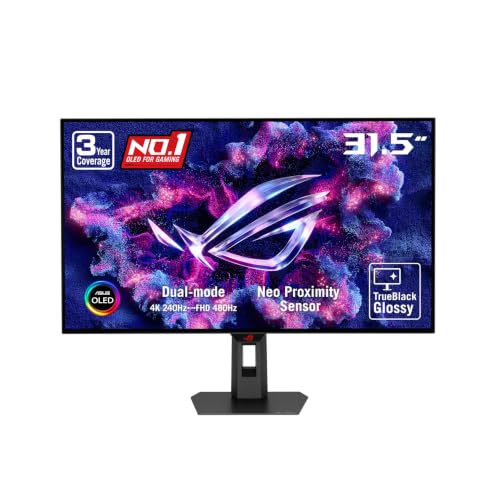
A specialist for someone who actually uses both modes. Keep 4K at 240Hz for detailed games, then switch to 1080p at 480Hz when competitive speed matters more than resolution.
Panel / backlight
WOLED · glossy / Self-emissive
Resolution / shape
3840 × 2160 · Flat · 16:9
Maximum refresh
240Hz / 480Hz*
USB-C / power
Video · 15W only
480Hz**1080p mode; 4K is 240Hz
What independent testing found
TFTCentral praised the clear glossy image and low latency. RTINGS found sharp motion and blacks that stay deep under ambient light. The compromises are noticeable VRR flicker and reflections from strong light sources, alongside OLED burn-in risk. We would choose this for dual-mode flexibility, rather than expect its USB-C port to power a laptop.
480Hz requires dropping to 1080p; reflections can distract
OLED burn-in risk, VRR flicker and only 15W USB-C
Before you connect: Two different modes: 3840 × 2160 at 240Hz OR 1920 × 1080 at 480Hz. It does not deliver 4K at 480Hz. USB-C carries video, but its 15W output cannot replace most laptop chargers.
THE PRICE PERSPECTIVE
The latest tracked new price is $154.95 above its $814.00 180-day low. A $814.00 target starts at that historical low before shipping; your notification target compares the offer including listed shipping. Past prices do not guarantee a future offer.
Exact model and important details
The M matters: XG32UCWMG is the 4K240 / Full HD480 model. XG32UCWG without the M has lower refresh rates. The refresh filter uses 240Hz at native 4K resolution, not the alternate 1080p480 mode. Its glossy surface benefits from careful desk and lighting placement.
New, shippable offer checked Checked Fulfilled by Amazon · Find this offer under Other sellers.
Best mid-tier console gaming
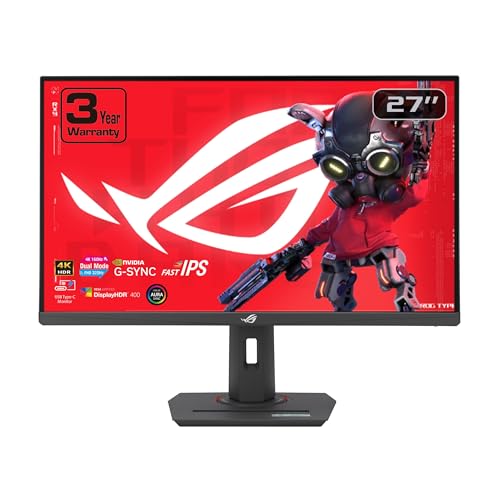
ASUS ROG Strix XG27UCG review
Our mid-tier pick keeps the 4K120 console target intact instead of dropping to 1440p or 60Hz. Its IPS panel is also useful for a shared PC desk. Mid-tier here means the mid-priced 4K120 option in this shortlist; the tracked low is worth comparing with today's offer.
Panel / backlight
Fast IPS / LED
Resolution / shape
3840 × 2160 · Flat · 16:9
Maximum refresh
4K 160Hz / 1080p 320Hz PC
USB-C / power
Video · 15W only
4K / 120Console target, without the OLED price
What independent testing found
PC Gamer praised its detailed native 4K image, pleasing color and quick IPS response. The review found its lower-resolution PC mode softer than a native 1080p screen, and excessive overdrive introduced inverse ghosting. Console compatibility comes from ASUS's explicit 4K120 HDMI VRR support; basic HDR10 support does not give it the deep contrast or HDR impact of our OLED pick.
4K120 + HDMI VRR support for PS5 Pro and Xbox Series X
Sharp 27-inch IPS image with useful PC dual-mode flexibility
−Trade-offs to know
Only one HDMI input; basic HDR without local dimming
Current price is well above its tracked low; 15W USB-C only
Before you connect: ASUS confirms 4K120 with HDMI VRR for PS5 and Xbox Series X. Use its single HDMI 2.1 input; you will need to swap cables or use a suitable switch if you own both consoles. The 4K160 and 1080p320 modes are for a compatible PC. USB-C provides only 15W.
THE PRICE PERSPECTIVE
The latest tracked new price is $148.99 above its $299.00 180-day low. A $299.00 target starts at that historical low before shipping; your notification target compares the offer including listed shipping. Past prices do not guarantee a future offer.
Exact model and important details
Exact model: XG27UCG, not XG27UCS or the 1440p XG27ACS elsewhere in this guide. Its 320Hz mode requires 1080p on a PC; neither console outputs 320Hz. ASUS lists one HDMI 2.1 port, so it cannot directly keep both consoles connected through HDMI at once.
New, shippable offer checked Checked Fulfilled by Amazon · Find this offer under Other sellers.
Best console gaming — high end
ASUS ROG Swift OLED PG27UCDM review
Our premium console choice puts the extra money into image quality, not a refresh rate the console cannot use. The 27-inch-class 4K OLED screen pairs fine detail with deep blacks, while two HDMI inputs can keep both consoles connected.
Panel / backlight
QD-OLED / Self-emissive
Resolution / shape
3840 × 2160 · Flat · 16:9
Maximum refresh
240Hz PC / 120Hz console
USB-C / power
Video + 90W charging
4K / 120PS5 Pro + Xbox Series X over HDMI
What independent testing found
RTINGS found broad PS5 Pro and Xbox compatibility, crisp motion and vivid color, with slightly higher lag at 60Hz than some rivals. TFTCentral confirmed Xbox 4K120 and VRR, and praised the sharp 4K image. Its HDR testing also found brightness trade-offs between modes: Dolby Vision support is an option, not a guarantee of a better picture than HDR10.
4K120 + HDMI VRR for both consoles; two HDMI 2.1 inputs
OLED contrast, sharp 27-inch 4K detail and Xbox Dolby Vision
−Trade-offs to know
Premium price; bright room light raises QD-OLED black levels
OLED burn-in risk and VRR flicker; 240Hz is PC-only
Before you connect: PS5 Pro and Xbox Series X: up to 4K at 120Hz with HDMI VRR. Its 240Hz mode is for a compatible PC. For Xbox Dolby Vision, select Dolby Vision in the monitor's HDR Format setting and enable it on the console; use current firmware. PS5 uses HDR10.
THE PRICE PERSPECTIVE
The latest tracked new price is $168.52 above its $929.98 180-day low. A $929.98 target starts at that historical low before shipping; your notification target compares the offer including listed shipping. Past prices do not guarantee a future offer.
Exact model and important details
Exact model: PG27UCDM, not PG27AQDM, PG27AQDP or PG32UCDM. This is a 4K monitor, so it does not display PS5 Pro's separate 8K/60Hz output mode. The high-end award reflects our console shortlist and its picture quality, not a need for 240Hz on a console.
*Historical lows exclude shipping; checked prices include listed shipping. Refresh rates require a compatible port, cable and source. This table retains all 10 picks independently of the filters above.
A QUICK PANEL GUIDE
Different strengths. Different desks.
Panel type is a starting point. The individual monitor still matters.
IPS
A useful starting point for work and mixed use, with generally wide viewing angles. Ordinary IPS contrast is limited; IPS Black improves it without becoming OLED.
Think: work, shared screens, all-round use
VA
Usually stronger native contrast than IPS. Some models smear dark transitions or lose image consistency off-center. Good local dimming can add meaningful HDR.
Think: contrast and value HDR
QD-OLED
Pixel-level dimming, vivid color and very fast transitions. Bright ambient light can lift black levels; static content can cause burn-in over time.
Think: immersive games and fast motion
WOLED
Another OLED approach with fast transitions and per-pixel contrast. Compare the exact generation, coating and text clarity; it shares OLED's burn-in considerations.
Think: OLED gaming, including dual-mode options
Mini-LED is a backlight, not a separate LCD panel type. It can sit behind IPS or VA. TN remains a specialist option for some competitive displays, but is not represented in this shortlist. Read the testing behind these distinctions: IPS vs VA ↗ · IPS vs OLED ↗ · Mini-LED vs OLED ↗.
YOU PICK THE SCREEN. WE WATCH THE PRICE.
The right monitor. When the price is right.
Try a target for one model, or a category watch for the kind of monitor you want.
Email · Telegram · Discord Confirm once. Unsubscribe from any notification.
BEFORE YOU BUY
A few details worth getting right.
Specs tell part of the story. Your desk, laptop and favorite games fill in the rest.
Should I choose 1080p, 1440p or 4K?
For this shortlist, the compact 1080p option keeps cost down. A 27-inch 1440p monitor balances workspace with gaming demands. A 27-inch 4K monitor puts more pixels into text and detail. A 3440 × 1440 ultrawide adds horizontal room; it is not equivalent to 4K. Operating-system scaling and viewing distance also affect comfort.
Is a higher refresh rate always better?
Higher refresh can make scrolling and motion smoother, but slow pixel transitions can still blur a 120Hz screen. Competitive games also need high frame rates from the PC to exploit 240Hz or 360Hz. Check independent response-time testing, not only the refresh-rate label. Our dual-mode picks trade resolution for their fastest PC modes. PS5 Pro and Xbox Series X top out at 120Hz; see the console section for the shared 4K120 target.
Does USB-C mean I can charge my laptop?
No. A USB-C connector may be for data only, or may carry video with very little power. The XG27ACS supplies only 7.5W; the Alienware's USB-C is not a video input. Look for DisplayPort Alt Mode or Thunderbolt plus enough power delivery for your laptop. The work picks here supply 65W or 90W, the MSI supplies 98W, and the premium console ASUS supplies 90W.
Should I use OLED for work all day?
Repeated static interfaces can cause permanent burn-in on OLED. Text rendering also varies by subpixel layout and pixel density. If your main use is spreadsheets, email or a fixed application all day, IPS is a sensible starting point. OLED's strongest advantages are per-pixel contrast and fast motion. Read the OLED / IPS comparison ↗.
Does an HDR badge guarantee great HDR?
No. The ASUS IPS gaming models and Dell 4K work pick can accept HDR but lack the local dimming needed for convincing contrast. The BenQ budget model does not support HDR. The AOC Mini-LED and OLED picks have more capable hardware. The Dell ultrawide does not support HDR. Brightness, dimming behavior and real review results matter together.
Can I watch all monitor deals instead of one model?
Yes. Follow the computer-monitor category, including products beyond this shortlist. Set an optional budget, minimum discount and specifications. Leave the spec filters open for the broadest coverage. Spec-filtered watches require explicit listing-title evidence or an exact reviewed model match; ambiguous models are skipped. The first scan records existing matches; later new matches can notify you after confirmation.
Will these prices update by themselves?
Prices, availability and history refresh about daily through DEALAGRAM’s existing price-data workflow. Each product shows its own last successful check. Delayed checks are labeled overdue, and unavailable products retain their history. A price refresh does not change the editorial research date; offers can change between checks.
HOW WE CHOOSE
Research you can trace. Prices you can put in context.
DEALAGRAM synthesizes independent tests into a shortlist of distinct use cases. We do not claim to have tested these monitors ourselves. Awards express our editorial choices among the featured products; they are not combined review scores or universal rankings.
We match model numbers and Amazon ASINs, check manufacturer specifications, summarize strengths and trade-offs in original language, and keep review findings separate from price data. Where a review tested a related variant, that distinction is stated in the entry.
New-offer snapshots exclude used items, preorders and backorders. Prices include the shipping attached to the selected offer, before tax; price-history lows and averages exclude shipping. Historical NEW-price coverage describes recorded prices, not guaranteed physical stock.
Product notifications compare your target with the checked new offer including listed shipping, before tax and coupons, and send once per confirmed target. Category notifications use new-offer prices before shipping and a minimum discount from the 90-day average. Availability and notification timing depend on the shared data budget; short-lived deals between checks can be missed.
Editorial research: November 2, 2026. Latest included offer check: .
Go straight to the source.
Independent reviews used in this guide. Each product entry also links to its manufacturer specifications and exact Amazon listing.