
Best budget wired gaming mouse
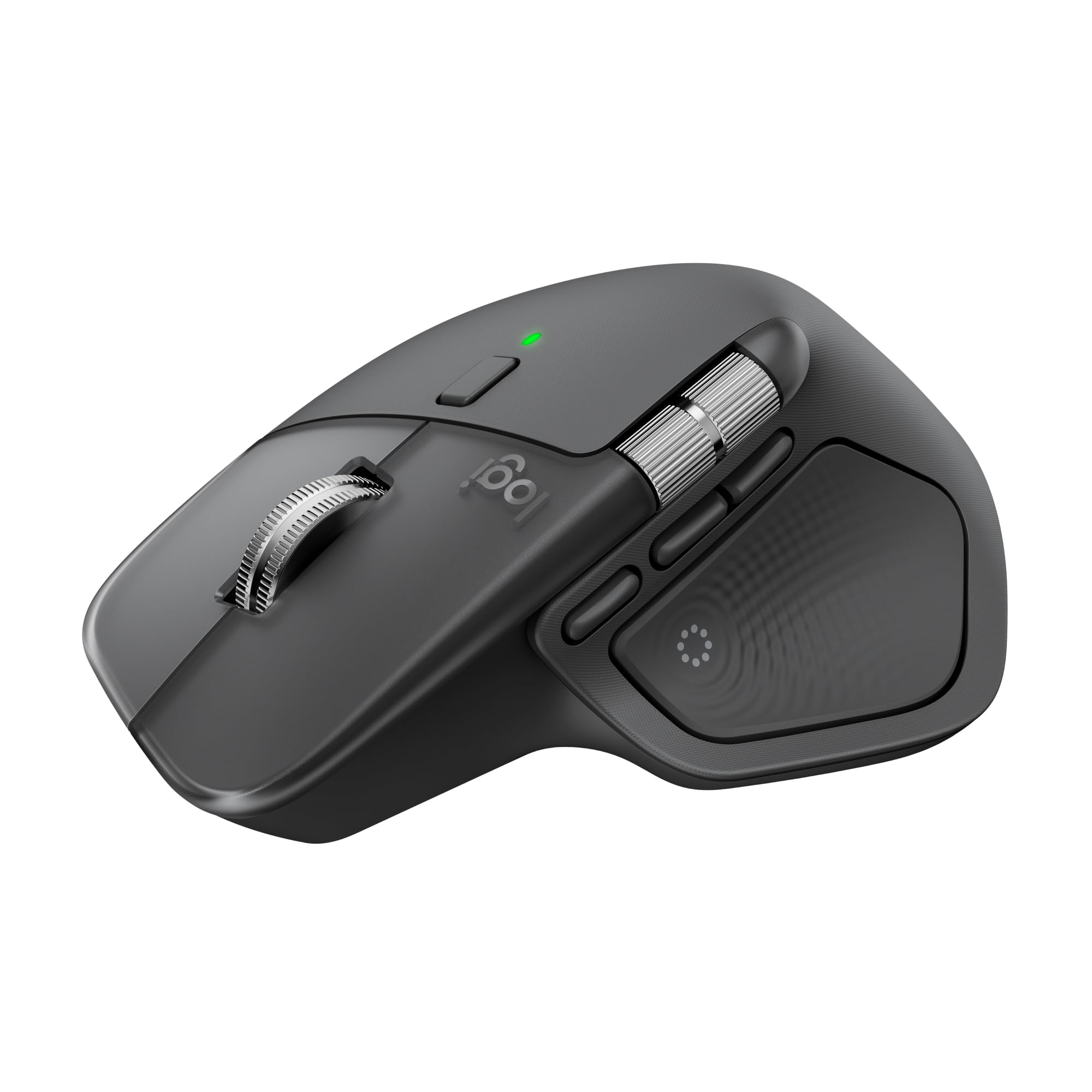
Logitech G G203 LIGHTSYNCAn inexpensive, straightforward gaming mouse when a cable is no obstacle.
Why this pick →GOOD RESEARCH. BETTER TIMING.
Compare mice for gaming, desk work, hand comfort and travel. Our picks combine independent reviews with exact-model Amazon price history, so you can choose the right fit and decide when to buy. Follow an individual mouse or watch deals across the category.
As an Amazon Associate, DEALAGRAM earns from qualifying purchases. These are our researched recommendations based on published tests and manufacturer information; we have not tested the products ourselves. *Checked offers include listed shipping; historical prices do not. Our method and sources ↓
START WITH WHAT MATTERS TO YOU
Different needs.
Distinct recommendations.
Gaming response, fast document scrolling, hand position and portability are different priorities. The G203 and G305 keep gaming costs down; Viper favors light weight; G502 adds controls. MX Master, Lift, Pebble and MX Anywhere each address a different work or travel need.
An inexpensive, straightforward gaming mouse when a cable is no obstacle.
Why this pick →A well-established way to get gaming wireless without paying flagship prices.
Why this pick →For players who prioritize a light, responsive pointer over extra office controls.
Why this pick →A fuller gaming mouse for shortcuts, strategy games and a supportive thumb rest.
Why this pick →For spreadsheets, editing timelines and frequent shortcuts at a permanent desk.
Why this pick →A compact vertical design for shoppers who prefer a handshake-style grip.
Why this pick →A cheap, quiet backup that slips into a laptop sleeve, with clear comfort compromises.
Why this pick →More capable scrolling and shortcuts than a basic travel mouse, in a compact body.
Why this pick →THE SHORTLIST
8 products
Each linked to its exact Amazon variant.
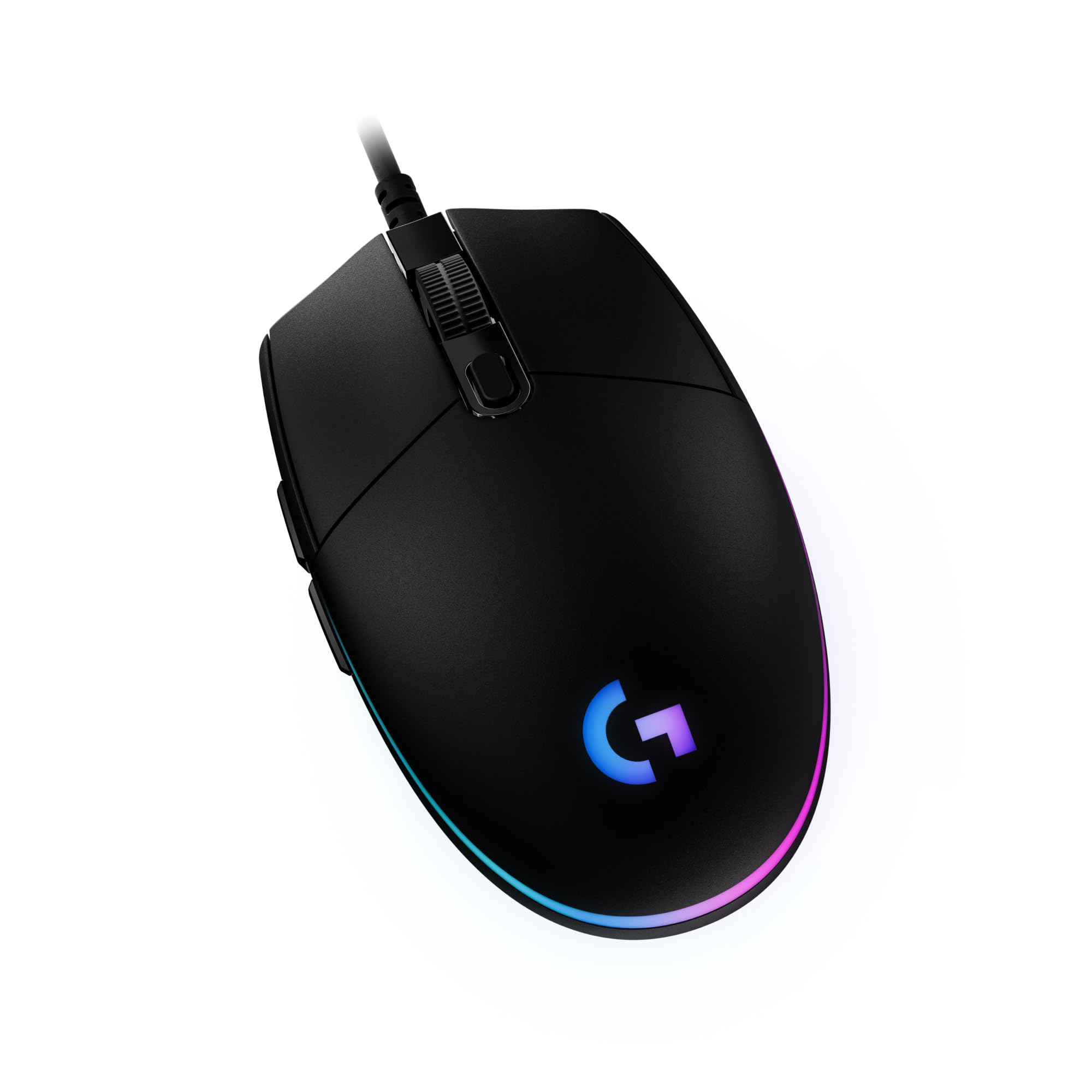
An inexpensive, straightforward gaming mouse when a cable is no obstacle.
85 g mouse body; cable adds drag · Fixed USB-A cable
180-day low $18.99 before shipping
Sold by Amazon
Checked
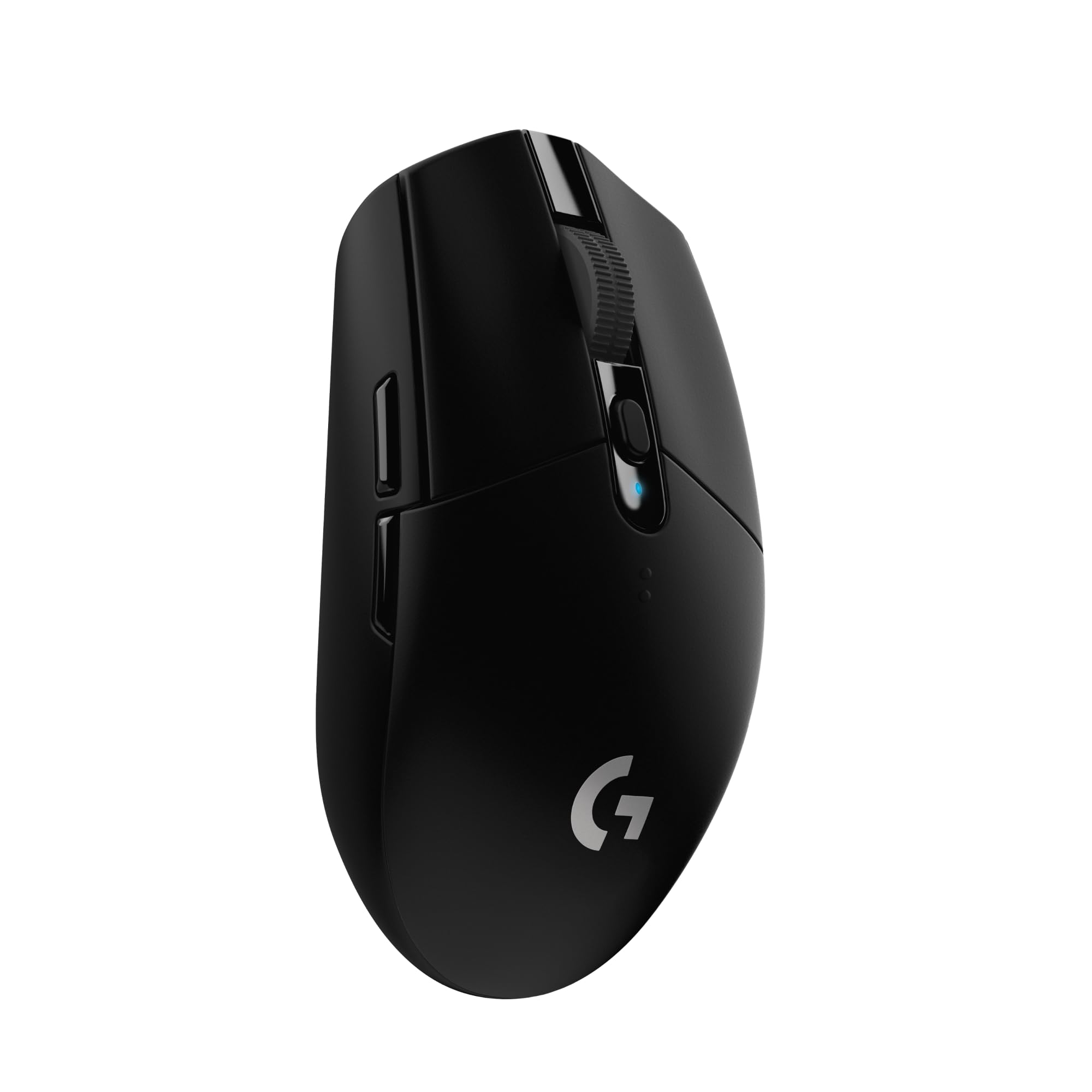
A well-established way to get gaming wireless without paying flagship prices.
99 g with AA battery, manufacturer specification · 2.4 GHz LIGHTSPEED USB-A receiver; no Bluetooth
180-day low $27.05 before shipping
Sold by Amazon
Checked
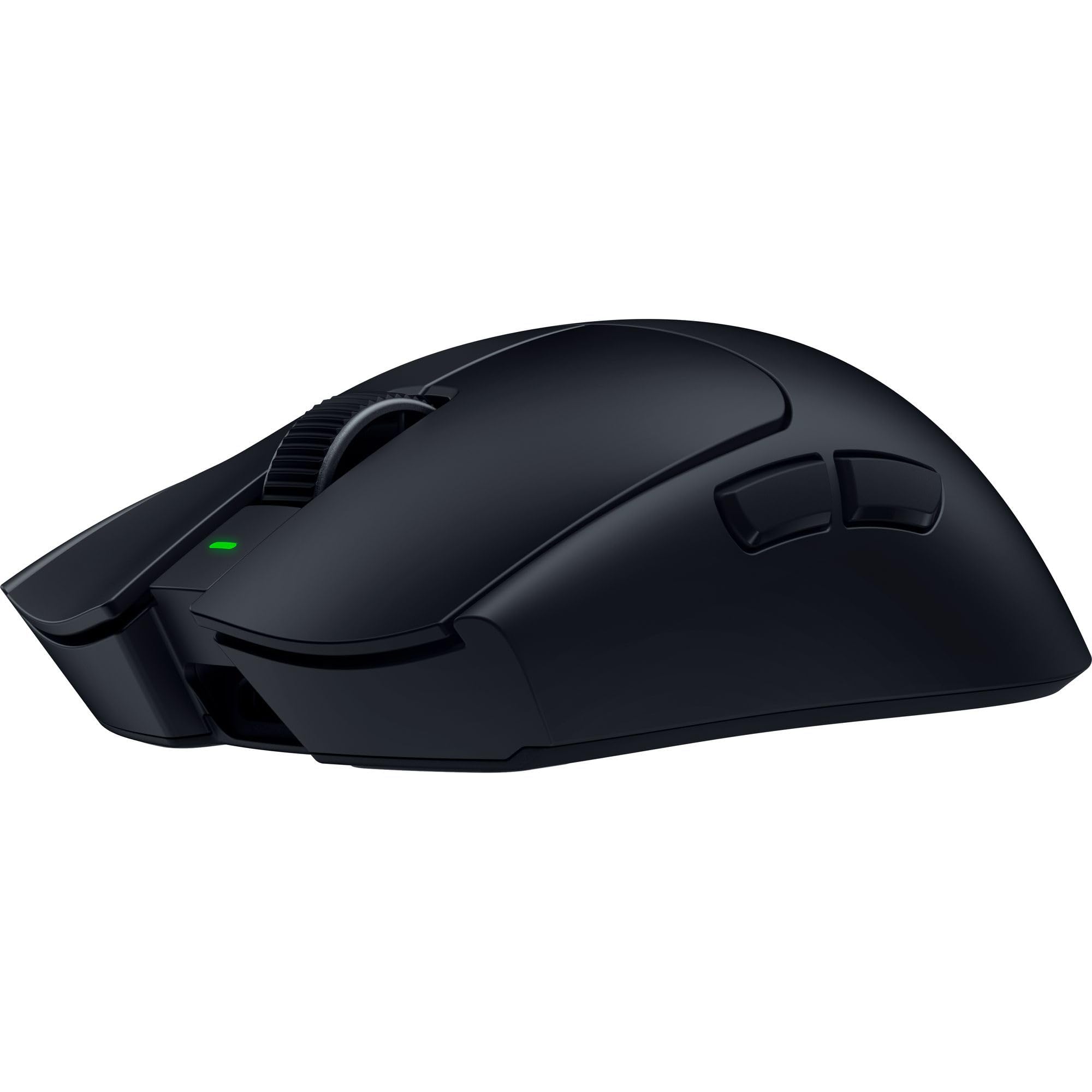
For players who prioritize a light, responsive pointer over extra office controls.
49 g black version, excluding cable/dongle · 2.4 GHz receiver or USB-C wired; no Bluetooth
180-day low $157.99 before shipping
Sold by Amazon
Checked
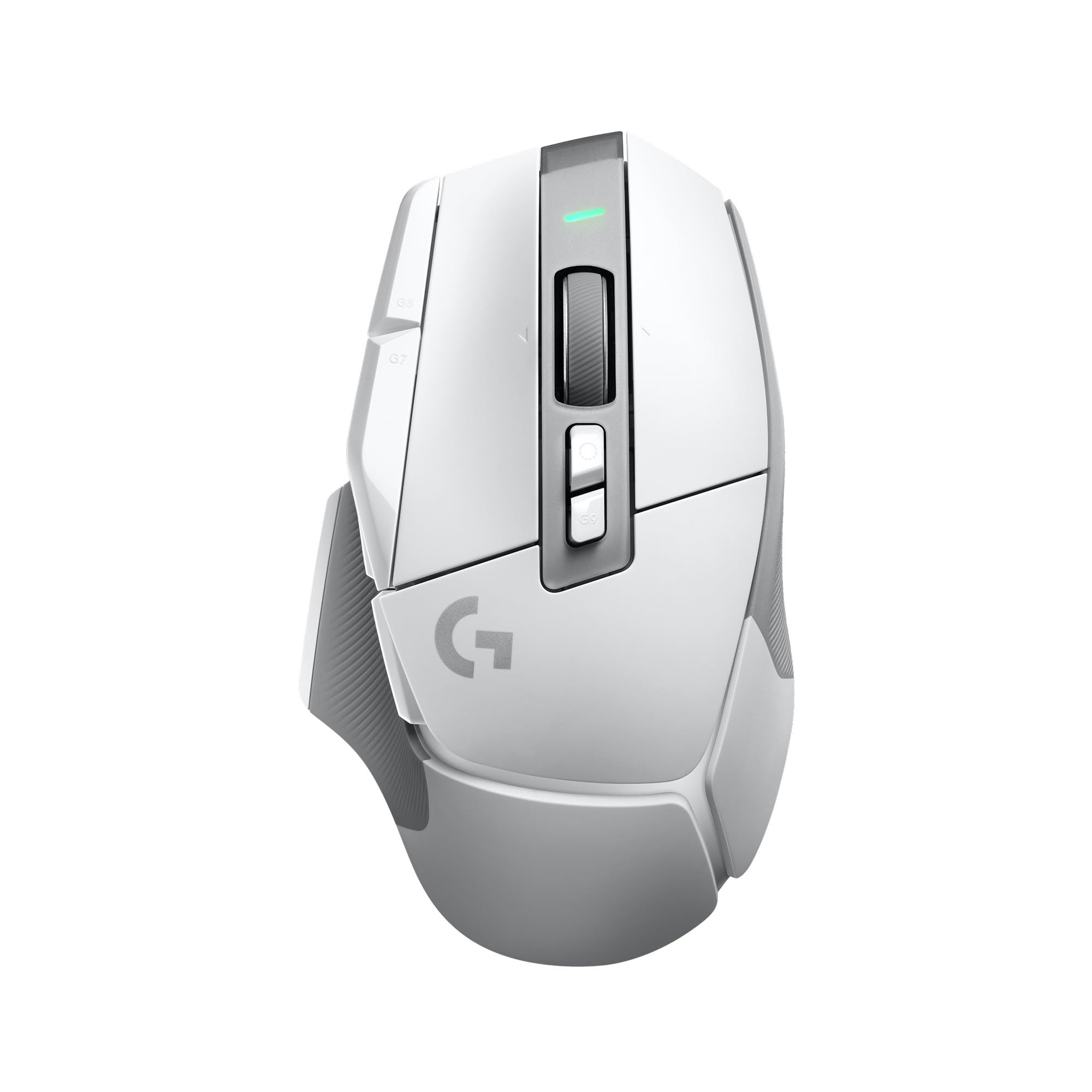
A fuller gaming mouse for shortcuts, strategy games and a supportive thumb rest.
Approximately 102 g · LIGHTSPEED USB-A receiver or USB-C wired; no Bluetooth
180-day low $104.98 before shipping
Fulfilled by Amazon · Other sellers
Checked
For spreadsheets, editing timelines and frequent shortcuts at a permanent desk.
150 g · Bluetooth or included Logi Bolt USB-C receiver
180-day low $118.00 before shipping
Sold by Amazon
Checked
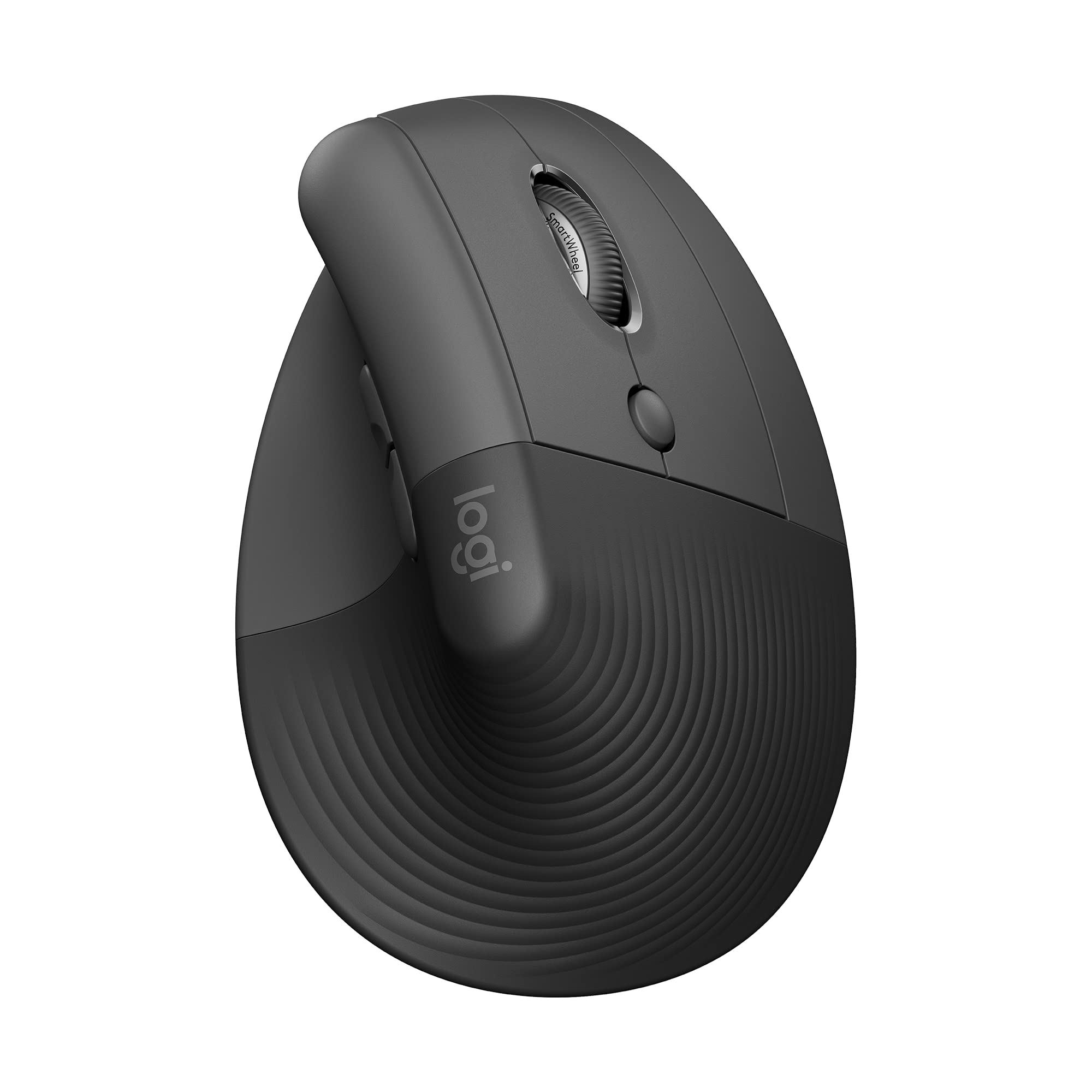
A compact vertical design for shoppers who prefer a handshake-style grip.
125 g with battery · Bluetooth or included Logi Bolt USB-A receiver
180-day low $53.95 before shipping
Fulfilled by Amazon
Checked
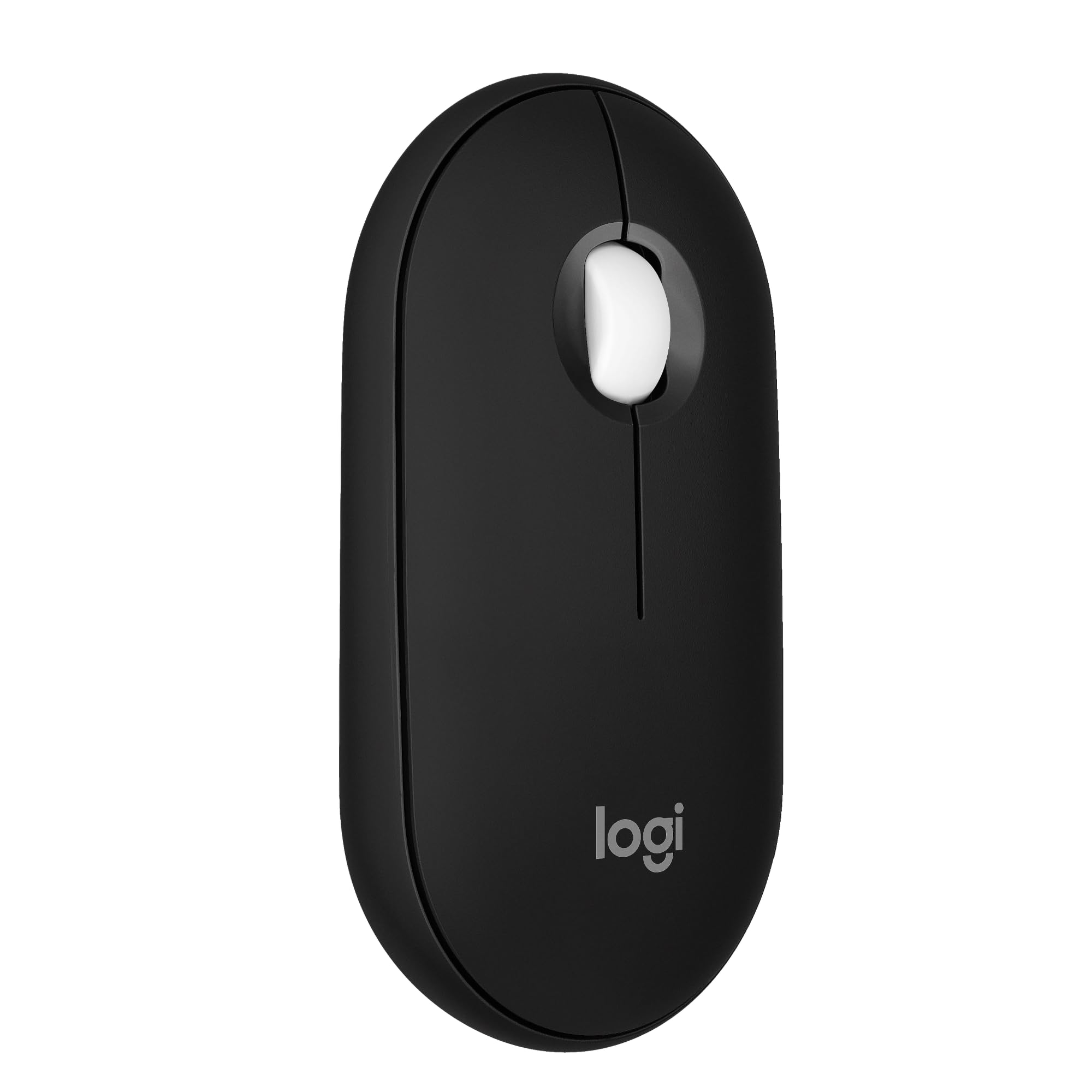
A cheap, quiet backup that slips into a laptop sleeve, with clear comfort compromises.
76 g including battery · Bluetooth; Bolt receiver supported but sold separately
180-day low $19.00 before shipping
Sold by Amazon
Checked
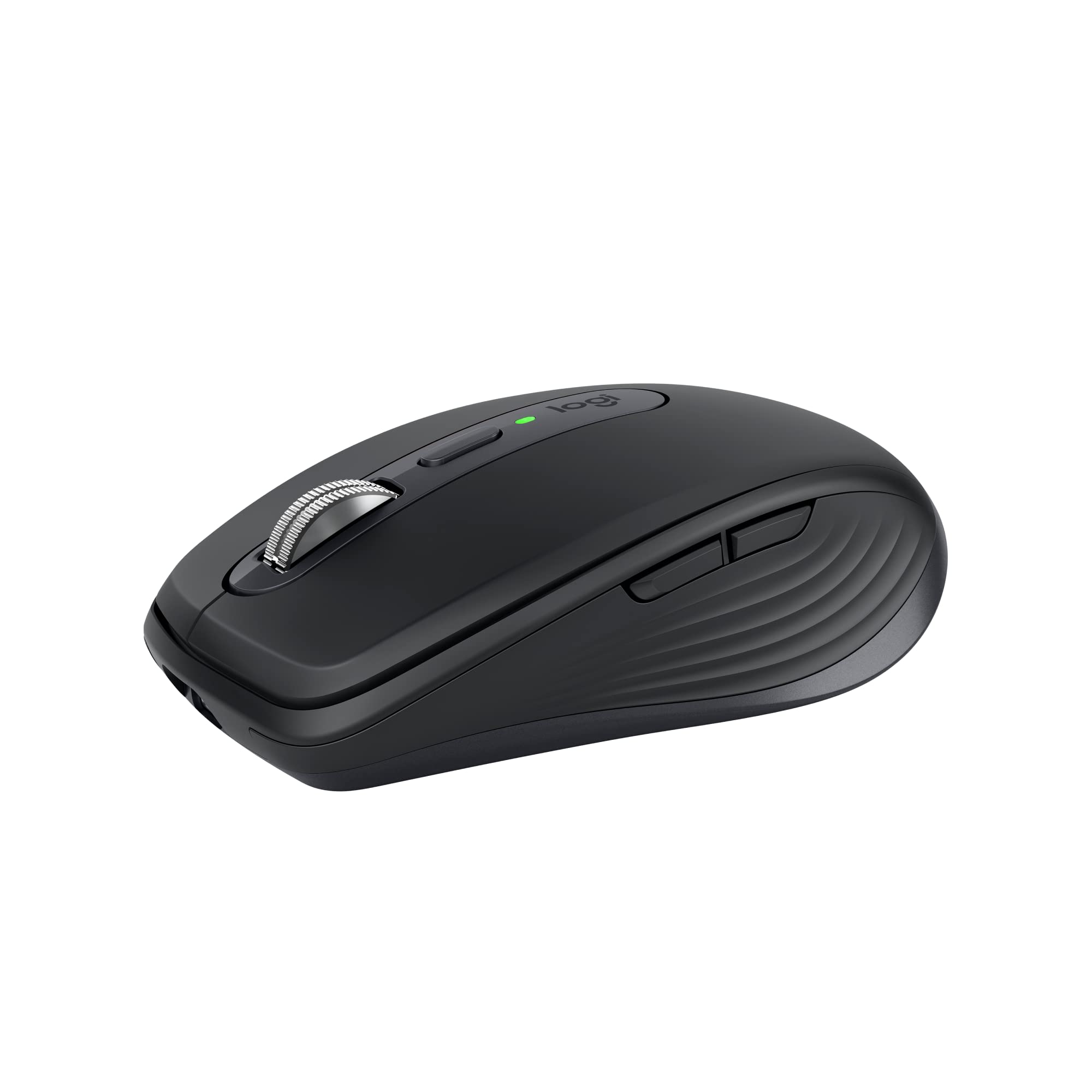
More capable scrolling and shortcuts than a basic travel mouse, in a compact body.
99 g · Bluetooth; Bolt receiver supported but sold separately
180-day low $63.16 before shipping
Fulfilled by Amazon · Other sellers
Checked
No shortlisted products match these filters. Broaden your choices or watch the whole category for future deals.
THE DETAILS THAT CHANGE THE DECISION
Compare the exact variants.
Scroll the table for every specification.
| Product / best for | Connection | Weight / fit | Controls | Main compromise | Checked offer* | 180-day low* |
|---|---|---|---|---|---|---|
| Logitech G G203 LIGHTSYNCBest budget wired gaming mouse | Fixed USB-A cable | 85 g mouse body; cable adds drag · Small/medium hands; fingertip users | 6 programmable buttons; RGB | Fixed cable | $24.98New, shippable offer checked | |
| Logitech G G305 LIGHTSPEEDBest budget wireless gaming mouse | 2.4 GHz LIGHTSPEED USB-A receiver; no Bluetooth | 99 g with AA battery, manufacturer specification · Small/medium hands; claw or fingertip | 6 programmable buttons | No Bluetooth or wired fallback | $29.49New, shippable offer checked | |
| Razer Viper V4 ProBest premium lightweight gaming mouse | 2.4 GHz receiver or USB-C wired; no Bluetooth | 49 g black version, excluding cable/dongle · Competitive aiming; claw/fingertip users | Two thumb buttons; optical main switches and optical scroll encoder | Premium price | $159.99New, shippable offer checked | |
| Logitech G G502 X LIGHTSPEEDBest for extra gaming controls | LIGHTSPEED USB-A receiver or USB-C wired; no Bluetooth | Approximately 102 g · Players wanting shortcuts and a thumb rest | 13 programmable controls; removable/reversible DPI-shift button | Heavy beside competitive lightweight mice | $137.99New, shippable offer checked | |
| Logitech MX Master 4Best premium productivity mouse | Bluetooth or included Logi Bolt USB-C receiver | 150 g · Medium/large hands; desk productivity | MagSpeed main wheel, thumbwheel, gesture and haptic controls | Large and heavy | $119.99New, shippable offer checked | |
| Logitech LiftBest vertical option for smaller hands | Bluetooth or included Logi Bolt USB-A receiver | 125 g with battery · Small/medium hands; vertical grip preference | Quiet buttons and adaptive SmartWheel | Poor fit for some large hands | $62.69New, shippable offer checked | |
| Logitech Pebble Mouse 2 M350sBest inexpensive travel backup | Bluetooth; Bolt receiver supported but sold separately | 76 g including battery · Short sessions and thin laptop bags | Quiet clicks; programmable middle button | Flat shape can be uncomfortable for long sessions | $19.99New, shippable offer checked | |
| Logitech MX Anywhere 3SBest compact productivity mouse | Bluetooth; Bolt receiver supported but sold separately | 99 g · Small hands, fingertip use and mobile work | MagSpeed notched/free-scroll wheel; quiet clicks and side buttons | Small for large-hand palm grips | $89.90New, shippable offer checked |
*The checked new offer includes listed shipping before tax and coupons. The 180-day low is the exact listing’s tracked new price before shipping. Specs describe the linked variant; read each review’s configuration notes before comparing test results.
THE DEALAGRAM DIFFERENCE
Real observations.
A target you can make your own.
Lowest tracked new offer · USD · before shipping
| Observation / interval boundary | New price |
|---|
These are real Keepa NEW-series observations for the exact Amazon ASIN, with gaps left where no price is recorded. The average is weighted by time with a recorded price. History excludes shipping, tax, coupons and used offers; it may differ from the currently shippable offer shown on the cards. The suggested target starts at the 180-day low and can be changed. Open this listing on Keepa ↗
WHY EACH ONE MADE THE LIST
Published testing.
Our synthesis, with the trade-offs.
01 / Best budget wired gaming mouse
New, shippable offer checked
Checked
Sold by Amazon
Best budget wired gaming mouse
An inexpensive, straightforward gaming mouse when a cable is no obstacle.
The G203 is our low-cost starting point for a wired gaming setup. RTINGS found responsive clicks and solid construction, while PC Gamer judged the familiar design dependable and good value. Its two thumb buttons and adjustable lighting are useful extras at a modest price. The bigger decision is fit: this short shell is easier to recommend for smaller hands or a fingertip grip than for a large-hand palm grip. It also gives up wireless operation and the fast document scrolling of the work-focused picks. Buy it when the checked price leaves a meaningful saving over the G305.
Review evidence: RTINGS — G203 LIGHTSYNC review ↗ · PC Gamer — G203 LIGHTSYNC review ↗
Tested model versus this listing: The cited reviews cover G203 LIGHTSYNC hardware; this tracked listing is the black colorway.
The checked item price is $5.99 above its tracked 180-day low. That low is $18.99; it is a useful starting point for a notification target, not a prediction. The time-weighted 180-day new-price average is $23.80. History excludes shipping; the displayed offer total and product notification target include listed shipping. Tax and coupons are excluded.
LIGHTSYNC is the wired RGB model; do not confuse the name with LIGHTSPEED wireless products.
Variant: Black G203 LIGHTSYNC, wired USB, mouse only; 910-005790 · Amazon ASIN: B07YN82X3B · Manufacturer specifications ↗
New prices were recorded for 100% of the preceding 90 days. This is recorded-price coverage, not a continuous stock guarantee.
02 / Best budget wireless gaming mouse
New, shippable offer checked
Checked
Sold by Amazon
Best budget wireless gaming mouse
A well-established way to get gaming wireless without paying flagship prices.
The original G305 remains a sensible deal pick despite the newer G305 X SUPERLIGHT. RTINGS praised its low click latency and sturdy shell, and GamesRadar's 2026 retest still found its gaming performance competitive at the budget end. The compact shape suits smaller hands better than a full palm grip with large hands. It is also heavier than modern rechargeable competitive mice, and its single AA battery is replaceable rather than rechargeable inside the mouse. Choose it for affordable gaming at one computer; choose the Bluetooth work mice if effortless laptop and tablet switching matters more.
Review evidence: RTINGS — original G305 LIGHTSPEED review ↗ · GamesRadar+ — G305 retested in 2026 ↗
Tested model versus this listing: This is the original 99 g G305, not the newer G305 X SUPERLIGHT.
The checked item price is $2.44 above its tracked 180-day low. That low is $27.05; it is a useful starting point for a notification target, not a prediction. The time-weighted 180-day new-price average is $30.48. History excludes shipping; the displayed offer total and product notification target include listed shipping. Tax and coupons are excluded.
Requires the included USB-A receiver, or a suitable USB-C adapter for a USB-C-only laptop. Battery life is a manufacturer claim and varies with use.
Variant: Black original G305 LIGHTSPEED, not G305 X SUPERLIGHT; 910-005280 · Amazon ASIN: B07CMS5Q6P · Manufacturer specifications ↗
New prices were recorded for 100% of the preceding 90 days. This is recorded-price coverage, not a continuous stock guarantee.
03 / Best premium lightweight gaming mouse
New, shippable offer checked
Checked
Sold by Amazon
Best premium lightweight gaming mouse
For players who prioritize a light, responsive pointer over extra office controls.
The Viper V4 Pro is the specialist gaming upgrade here. RTINGS found exceptionally fast input response and a light, balanced build; PC Gamer likewise praised its construction, click feel and battery endurance. The supplied high-rate receiver means there is no separate polling-dongle purchase to budget for. Yet those strengths do not make it the best office mouse: it lacks Bluetooth, free-scrolling and a horizontal wheel, and both reviews draw attention to its prominent click sound. Its premium makes most sense for competitive aiming and a shape you already know suits your hand, rather than for a larger DPI number alone.
Review evidence: RTINGS — Viper V4 Pro review ↗ · PC Gamer — Viper V4 Pro review ↗
Tested model versus this listing: The linked reviews cover Viper V4 Pro. Do not transfer this model's receiver, battery or weight claims to Viper V3 Pro.
The checked item price is $2.00 above its tracked 180-day low. That low is $157.99; it is a useful starting point for a notification target, not a prediction. The time-weighted 180-day new-price average is $159.56. History excludes shipping; the displayed offer total and product notification target include listed shipping. Tax and coupons are excluded.
49 g applies to black; white is rated 50 g. The 180-hour claim is at 1,000 Hz, not 8,000 Hz. The symmetrical shell has thumb buttons only on the left.
Variant: Black Viper V4 Pro, RZ01-0563 family; exact US ASIN B0GMLBSSTD · Amazon ASIN: B0GMLBSSTD · Manufacturer specifications ↗
New prices were recorded for 100% of the preceding 90 days. This is recorded-price coverage, not a continuous stock guarantee.
04 / Best for extra gaming controls
New, shippable offer checked
Checked
Fulfilled by Amazon · Find this offer under Other sellers.
Best for extra gaming controls
A fuller gaming mouse for shortcuts, strategy games and a supportive thumb rest.
The G502 X LIGHTSPEED suits players who use their thumb for more than two commands. Tom's Guide found the contoured grip comfortable and the extra controls useful across strategy, action and role-playing games, with long battery life in its test. The wheel also switches between notched and fast scrolling, making documents easier to navigate between matches. The cost is bulk: it is roughly twice the weight of the Viper and does not offer Bluetooth. Choose it for controls and shape, not minimum weight. This tracked non-RGB model also avoids paying for the lighting of the separate PLUS version.
Review evidence: Tom's Guide — G502 X LIGHTSPEED hands-on ↗ · Logitech — G502 X LIGHTSPEED product family ↗
Tested model versus this listing: The hands-on review tests the original G502 X LIGHTSPEED generation. Current manufacturer pages also describe revised sensor specifications; check the exact Amazon offer before treating it as newer hardware.
The checked item price is $33.01 above its tracked 180-day low. That low is $104.98; it is a useful starting point for a notification target, not a prediction. The time-weighted 180-day new-price average is $128.36. History excludes shipping; the displayed offer total and product notification target include listed shipping. Tax and coupons are excluded.
Exact listing is LIGHTSPEED, not wired G502 X, original G502 LIGHTSPEED, or G502 X PLUS. Current maker pages conflict on HERO 25K versus HERO 44K revisions, so no maximum-DPI upgrade is promised for this ASIN.
Variant: White G502 X LIGHTSPEED, non-RGB; 910-006187, original tracked listing · Amazon ASIN: B092CDD7HH · Manufacturer specifications ↗
New prices were recorded for 100% of the preceding 90 days. This is recorded-price coverage, not a continuous stock guarantee.
05 / Best premium productivity mouse
New, shippable offer checked
Checked
Sold by Amazon
Best premium productivity mouse
For spreadsheets, editing timelines and frequent shortcuts at a permanent desk.
The MX Master 4 puts its premium into controls rather than gaming speed. RTINGS praised its construction, quiet main buttons and dual wheels, while PCWorld liked the refined grip and scrolling but found the weight noticeable during quick movement. The new haptic control and Actions Ring can make repeated work easier when your applications and software setup support them. It is less compelling for small hands, travel, or a locked-down work computer where the companion app cannot run. Choose it when horizontal scrolling and customizable shortcuts are everyday tools; the MX Anywhere is easier to carry and the Lift offers a different hand position.
Review evidence: RTINGS — MX Master 4 review ↗ · PCWorld — MX Master 4 review ↗ · Logitech — launch specifications and box caveats ↗
Tested model versus this listing: Reviews cover MX Master 4; package contents differ from the separate Mac edition.
The checked item price is $1.99 above its tracked 180-day low. That low is $118.00; it is a useful starting point for a notification target, not a prediction. The time-weighted 180-day new-price average is $119.49. History excludes shipping; the displayed offer total and product notification target include listed shipping. Tax and coupons are excluded.
Standard version includes a USB-C Bolt receiver. USB-C on the mouse charges it; pointing still uses Bluetooth or the receiver. Basic OS support is broader than full Logi Options+ feature support.
Variant: Standard MX Master 4, graphite, not Mac-only or Adobe/Developer edition · Amazon ASIN: B0FC5SJNQX · Manufacturer specifications ↗
New prices were recorded for 100% of the preceding 90 days. This is recorded-price coverage, not a continuous stock guarantee.
06 / Best vertical option for smaller hands
New, shippable offer checked
Checked
Fulfilled by Amazon
Best vertical option for smaller hands
A compact vertical design for shoppers who prefer a handshake-style grip.
The Lift is a shape choice first. RTINGS found its vertical grip comfortable for office use, while Tom's Hardware emphasized that its smaller dimensions suit small and medium hands rather than large ones. Quiet buttons, device switching and an included receiver make it practical for a shared workspace. It does not provide the MX Master's separate horizontal wheel, and its weight and office-oriented response are less attractive for fast gaming. Try the grip if possible, especially if you are changing from a conventional mouse. A vertical position is a personal comfort preference, not a promise to prevent or treat wrist pain.
Review evidence: RTINGS — Lift review ↗ · Tom's Hardware — Lift review ↗ · Logitech — Lift setup and battery ↗
Tested model versus this listing: The right-handed Lift is tracked. Fit observations apply to the tested product shape and are not medical evidence.
The checked item price is $8.74 above its tracked 180-day low. That low is $53.95; it is a useful starting point for a notification target, not a prediction. The time-weighted 180-day new-price average is $61.19. History excludes shipping; the displayed offer total and product notification target include listed shipping. Tax and coupons are excluded.
This ASIN is right-handed. A separate Lift Left exists, but it is not the product or price history linked here.
Variant: Right-handed Lift in graphite; not Lift Left or Lift for Mac; 910-006466 · Amazon ASIN: B09J1TB35S · Manufacturer specifications ↗
New prices were recorded for 100% of the preceding 90 days. This is recorded-price coverage, not a continuous stock guarantee.
07 / Best inexpensive travel backup
New, shippable offer checked
Checked
Sold by Amazon
Best inexpensive travel backup
A cheap, quiet backup that slips into a laptop sleeve, with clear comfort compromises.
The Pebble earns a narrow recommendation for inexpensive travel, not as our all-day desk pick. RTINGS highlighted its portability and quiet operation but disliked its long-session comfort and limited controls. iMore was more critical, finding the flat shape uncomfortable and the pointing experience unconvincing despite the low price. Those reservations matter. We would use it for occasional browsing, a classroom laptop or a spare in a bag, where its slim body and three-device Bluetooth switching are useful. If it will be your only mouse for hours of daily work, spend more on a shape that supports your hand better.
Review evidence: RTINGS — Pebble Mouse 2 M350s review ↗ · iMore — Pebble Mouse 2 M350s review ↗ · Logitech — manufacturer specification sheet ↗
Tested model versus this listing: Both cited reviews cover the M350s generation and raise real comfort limitations; the recommendation is intentionally limited to low-cost travel/backup use.
The checked item price is $0.99 above its tracked 180-day low. That low is $19.00; it is a useful starting point for a notification target, not a prediction. The time-weighted 180-day new-price average is $22.15. History excludes shipping; the displayed offer total and product notification target include listed shipping. Tax and coupons are excluded.
The mouse-only package does not include a Bolt receiver. Some Pebble keyboard/mouse bundles do; do not transfer their box contents to this listing.
Variant: Black M350s mouse only; 910-007168; not original M350 or keyboard bundle · Amazon ASIN: B0BT4GFFGR · Manufacturer specifications ↗
New prices were recorded for 100% of the preceding 90 days. This is recorded-price coverage, not a continuous stock guarantee.
08 / Best compact productivity mouse
New, shippable offer checked
Checked
Fulfilled by Amazon · Find this offer under Other sellers.
Best compact productivity mouse
More capable scrolling and shortcuts than a basic travel mouse, in a compact body.
The MX Anywhere 3S is our portable work upgrade when the Pebble is too basic. RTINGS describes a well-equipped compact productivity mouse, and Tom's Hardware liked its quiet buttons, adjustable scrolling and app-specific controls. Its small body is the main caveat: it can suit fingertip use or smaller hands while feeling cramped as a palm-grip desk mouse. The MagSpeed wheel makes long documents easier to navigate, but there is no separate horizontal thumbwheel. Bluetooth keeps a laptop port free; the standard model supports Bolt but does not include that receiver. Choose it for frequent travel and real work, rather than gaming responsiveness.
Review evidence: RTINGS — MX Anywhere 3S review ↗ · Tom's Hardware — MX Anywhere 3S review ↗
Tested model versus this listing: RTINGS tested the standard graphite 3S. Do not confuse with the older Anywhere 3 or receiver-included Business bundle.
The checked item price is $26.74 above its tracked 180-day low. That low is $63.16; it is a useful starting point for a notification target, not a prediction. The time-weighted 180-day new-price average is $83.10. History excludes shipping; the displayed offer total and product notification target include listed shipping. Tax and coupons are excluded.
USB-C is for charging; a wireless connection is still required while charging. Standard graphite package differs from the Business edition that includes a receiver.
Variant: Standard graphite MX Anywhere 3S; 910-006925; not Business or Mac edition · Amazon ASIN: B0BPY4ZQXG · Manufacturer specifications ↗
New prices were recorded for 88.3% of the preceding 90 days. This is recorded-price coverage, not a continuous stock guarantee.
BUY FOR YOUR EVERYDAY USE
A wired mouse avoids batteries and receiver management. Dedicated gaming wireless can also be highly responsive, but a USB receiver is not the same as Bluetooth. G305, Viper and G502 use gaming receivers; the G305 cannot fall back to a cable or Bluetooth. For laptop and tablet switching, Bluetooth work mice are easier to move between devices. Check the box: MX Master 4 includes USB-C Bolt, Lift includes USB-A Bolt, while the standard Pebble and MX Anywhere 3S do not include a receiver.
For a palm grip, check whether the back of the mouse supports your hand without forcing your fingers to stretch. Claw and fingertip users may prefer a shorter or lower shell. A symmetrical outline does not guarantee left-handed controls: most gaming picks here place their thumb buttons only on the left. Lift is deliberately smaller than many vertical mice, and the tracked edition is right-handed. Look for a return option if you are trying an unfamiliar shape.
Maximum DPI is a sensitivity limit, not a score for accuracy. A consistent sensor, suitable shape and comfortable movement are more useful buying criteria. A higher polling rate sends updates more often, but its value depends on the computer, display and game; it also uses more battery. The Viper's 8,000 Hz receiver is included, while its longest runtime claim uses 1,000 Hz. Compare mouse weights on the same basis: the G305 and Lift figures include batteries, while a wired mouse's cable still creates resistance on the desk.
At a permanent desk, a fast scroll wheel, horizontal scrolling and useful shortcuts can matter more than low gaming latency. MX Master 4 focuses on those controls; MX Anywhere 3S trades the large shape and thumbwheel for portability. Pebble is the inexpensive, thin backup, with a deliberate warning about long-session comfort. A work computer that blocks companion software may also block the features that justify a premium mouse, so check software access before paying for app-specific gestures.
Compare the checked price with this exact ASIN's tracked history. A similarly named product can have a different connection, weight, receiver or sensor generation. G305 is not G305 X SUPERLIGHT; G502 X, G502 X LIGHTSPEED and G502 X PLUS are separate versions. Older models can be good buys when their price is low enough, but a crossed-out launch price alone does not establish a bargain. Set a product notification for a specific model or a category notification when you are flexible.
BEFORE YOU BUY
Within this shortlist, choose the G203 LIGHTSYNC when a fixed cable suits your setup, or the original G305 LIGHTSPEED when you want inexpensive gaming wireless. Compare their checked prices and hand fit before deciding; neither is the lightest modern competitive mouse.
A well-tested gaming receiver can deliver excellent responsiveness. Bluetooth is a different connection and is usually chosen here for convenience. Look at the tested product and connection mode rather than assuming every wireless mouse behaves the same.
No. DPI describes pointer sensitivity. Shape, reliable tracking, click response and useful controls are more important than the largest advertised maximum.
The listed mice provide basic pointing on compatible Macs through their supported USB or Bluetooth connections. Full customization depends on the software, Mac hardware and OS version. Logi Options+ supports selected Windows/macOS versions; Razer's desktop and browser tools have their own compatibility requirements.
The Lift changes your hand position, and some people prefer that grip. Fit and comfort vary. The reviewed comfort findings do not prove that a vertical mouse will prevent or treat pain.
No. The tracked MX Master 4 and Lift include receivers; the standard Pebble Mouse 2 M350s and MX Anywhere 3S listings do not. Those two support a separately purchased compatible Bolt receiver and can connect through Bluetooth without one.
Not always. The Viper V4 Pro and G502 X LIGHTSPEED support wired operation. The MX Master 4 and MX Anywhere 3S still use a wireless connection while their USB-C cable charges them.
Use category notifications when you are flexible about the model, or choose an individual product notification for an exact mouse and target price. Price history and notifications track the linked version, not every color or bundle under a similar product name.
Yes. Choose Watch category deals and leave the specification filters unrestricted for blanket notifications, or add the preferences and budget that matter. Category watches cover matching items beyond this shortlist. The first scan records a baseline; later new matches can notify you. Use a product target when you want one exact model, with shipping included.
HOW WE CHOOSE
DEALAGRAM compares independent published reviews with manufacturer specifications and the exact Amazon variant. We have not tested these products ourselves. The awards explain our choices within this 8-product shortlist; they are not a universal ranking or an average of review scores.
For mice we weigh shape and hand fit, measured gaming response, useful controls, connection modes and the actual included receiver. Symmetrical shells do not guarantee left-handed thumb buttons. A charging socket does not automatically provide wired data. Battery figures labeled as claims depend on polling rate and settings.
We distinguish measured review findings from manufacturer claims. A different processor, screen, sensor revision, capacity or bundle can change performance and price. Where the tested configuration differs, the review entry explains what carries over and what does not.
The charts use real Keepa new-price observations for each exact ASIN. Historical lows and time-weighted averages exclude shipping, taxes, coupons and used stock. Unrecorded intervals remain gaps. A historical low is a reference for your target, not a promised future deal.
Displayed offers are new and shippable at the successful check, excluding used, preorder and backordered offers. Totals include listed shipping. Availability can change; the seller and check time are shown, including when the offer is under Other sellers.
Prices and availability are checked about daily. A failed refresh preserves the last successful observation; checks older than 30 hours are labeled overdue. The editorial research date changes only when the content is reviewed, not each time prices refresh.
One-product notifications compare new offers including listed shipping with your target and notify once per confirmed target. Category watches use the new-price series before shipping and your chosen discount below the 90-day average. The first category scan establishes a baseline; later new matches can notify you. Brief deals between checks can be missed.
Includes office and gaming mice. Wired means wired data, not only USB charging. Optional connection and vertical-grip preferences require an identifiable specification. Keyboard bundles and accessories are excluded.
Editorial research: November 3, 2026.
Latest included offer check:
Review updates and price checks have separate schedules.
Read the original testing behind each pick. Product entries also link to manufacturer information.